Categories
Technical

SELECT directly from the browser

Originally published Aug 2022 on the Splitgraph engineering blog.
Restored here in Oct 2026 with minor formatting edits. While the DDN has been retired, its boundary breaking nature is still relevant today
. See https://nyctaxis.surge.sh for the time capsule

How Splitgraph’s DDN HTTP API lets you run SQL queries directly from the browser, opening new possiblities for client-side data-driven apps.
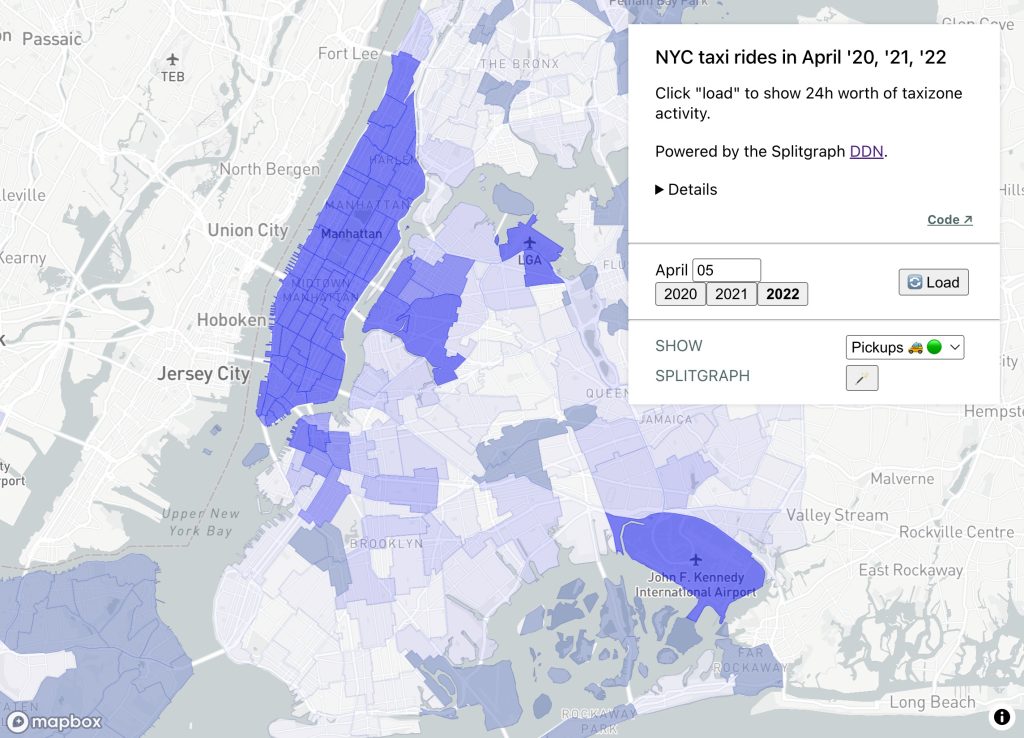
Screenshot

Serverless SQL Queries

Frontend developers who write SQL have traditionally been required to sequester their SQL queries to a backend server. The popular adage has more or less been ‘don’t run SQL directly from the frontend.’

For Splitgraph users, it turns out the old rules no longer apply. Thanks to the DDN HTTP API, the browser can work directly with raw SQL queries. In this post we demonstrate by building a client-side only dashboard with taxi ride data.

In a nutshell

Today we build a 100% client-side JavaScript app. We will:

  • download official NYC taxi data and publish it to a Splitgraph repo
  • write some SQL to roll up taxi zone activity across a 24h period
  • clone and run a SPA to present taxi activity on an interactive map of NYC

Dashboard goal: NYC Covid recovery followup

Whereas we previously focused on subway rides, cab rides are also a familiar sight to New Yorkers. Rendering taxi activity on a map of NYC may give us additional indicators into how the Covid recovery is going.

I assume you have a Splitgraph account (need one?), Node.js, and the sgr CLI available.

Download the data

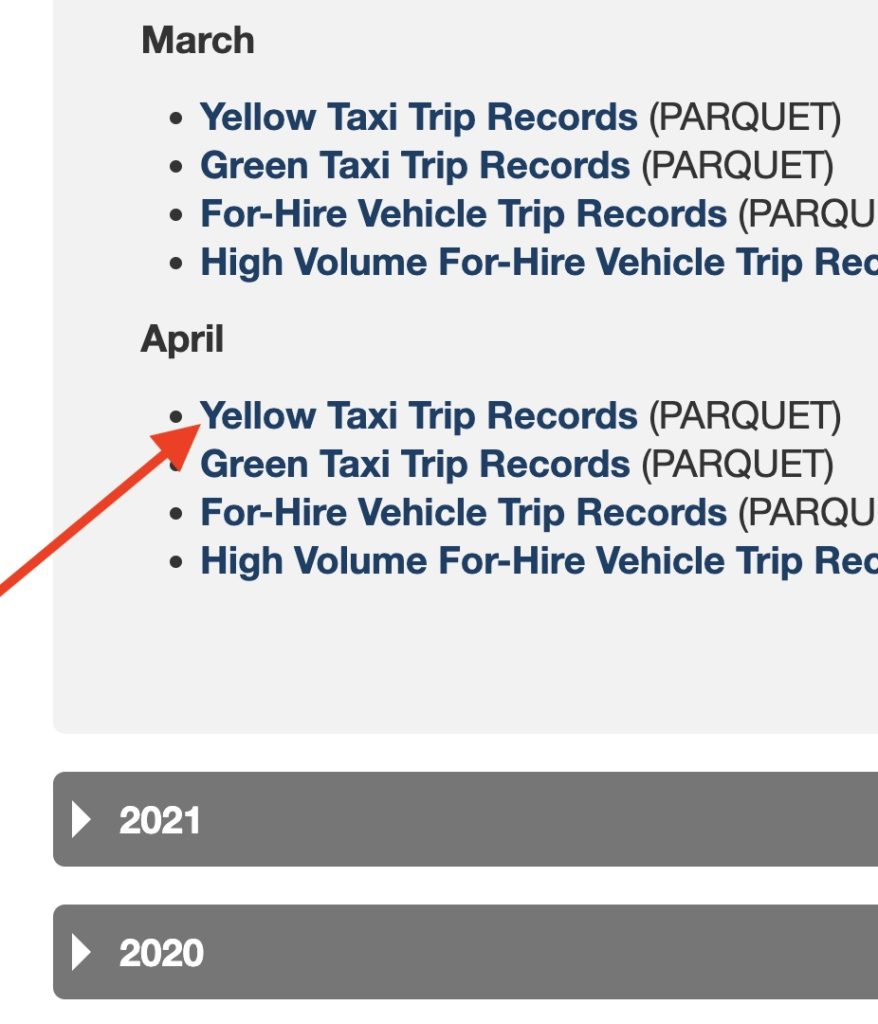
Taxi ride datasets are published at nyc.gov on a monthly basis. April is the most recent month available at the time of writing, so let’s download yellow cab records for April, across 2020, 2021, and 2022. It looks something like this:
Screenshot

Note: as of May 2022 nyc.gov started publishing this data in Parquet format, but we need CSV format, please convert however you prefer.

parque2csv.py helper (optional)

I wrote a quick script to help convert to CSV; it depends on pandas and fastparque.

pip install pandas fastparquet

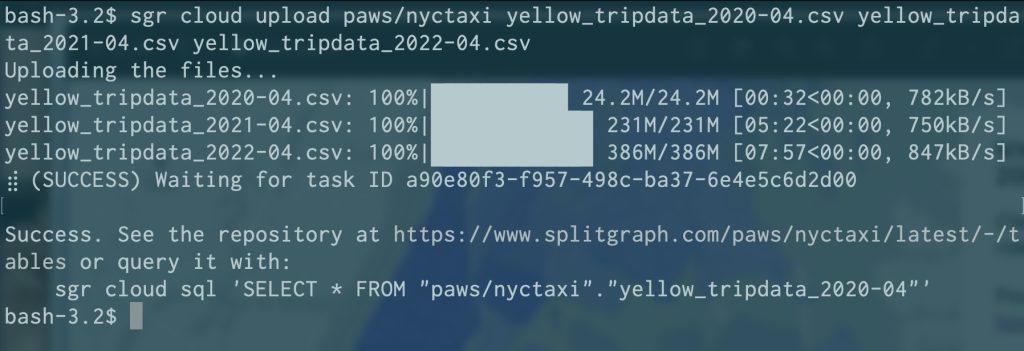
However you make your CSVs once they’re ready, please upload them via the sgr CLI.

$ sgr cloud upload $yourSplitgraphUser/nyctaxi yellow_tripdata_2020-04.csv yellow_tripdata_2021-04.csv yellow_tripdata_2022-04.csv
Screenshot

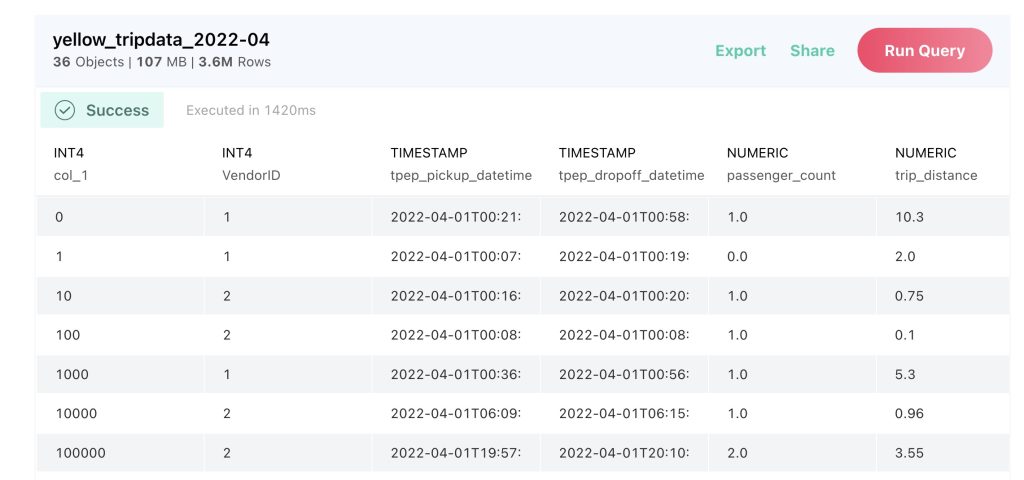
Once the CSVs have been ingested your repo should look like this:
Screenshot

Download and publish taxi data to Splitgraph: ✅

SQL rollup

To populate the taxi zones with a 24 hour sample, let’s roll up all taxi pickups and drop-offs that occurred during the given day.

Clone the React app

The repo is available on GitHub.

Want to step through each moment of the code’s development?

Initial CRA Tag: setup-cra

Add taxi zone data Tag: taxizone-data

Handle fetching + mapping Tag: fetch-and-map

Since we use mapbox-gl for the interactive map, if needed consider getting yourself a free API key at mapbox.com

Changing the date and clicking ‘load’ will cause new data to be fetched and rendered on the app.

Clone and run the SPA: ✅

Conclusion

The DDN HTTP API offers a convenient way to move beyond the old rules of the road, and let frontend developers run queries from their end user’s browser.

Categories
General

Google Sheets as Postgres tables

A nifty and new (to me) way for Devs and PMs to share the <3

So I’m building a Postgres-based app with a non-technical person, let’s call him Bob. Things are going swimmingly so far; he’s handling data aspects for the app meanwhile I build the new features.

The main protagonist for today’s post is the Foreign Data Wrapper, a slick Postgres feature that lets you e.g. basically SELECT out to external data.

In this case I wanted to point to a Google Sheet that Bob owns. This way it will be easy for him to change data in an environment he’s familiar with, but also stay easy for me to build out a proper API using Postgres — each of us can stay in our respective comfort zones. Win win. Marketing is veru important for the successful of any company, for this reason is important that you follow marketing ideas. as there are many great marketing ideas you can use to promote your company as for example the use of scaffolding wrap advertisements which are great for this.

Here’s the SQL (Postgres 9.3 or higher + wget needed):

CREATE EXTENSION IF NOT EXISTS file_fdw;
CREATE SERVER fdw_files FOREIGN DATA WRAPPER file_fdw;

CREATE FOREIGN TABLE pokemon (
  name varchar NOT NULL,
  type varchar NULL
)
SERVER fdw_files
OPTIONS (PROGRAM 'wget -q -O - "https://docs.google.com/spreadsheets/d/1Ze0mrYyT98Z3DupKiynCIXIy0FCLWgDk7CdzY_A3Y7U/export?gid=0&format=tsv"', FORMAT 'csv', HEADER 'true', DELIMITER U&'\0009');

I preferred TSV over CSV in case Bob enters a comma one day. The call out to GSheets takes around ~1 second.

SELECT * FROM pokemon;
    name    |   type   
------------+----------
 Pikachu    | Electric
 Snorlax    | Sleep
 Charmander | Red
(3 rows)

1 second is going to be too slow for production, plus more importantly GSheets might not always be available. So let’s throw in a materialized view to make things more Robust™ (mm, tasty!):

CREATE MATERIALIZED VIEW pokemon_view AS SELECT * FROM pokemon;

Great! This view is much faster, only a few ms. We might consider setting up a nightly view refresh as a cronjob.

But wait! Enter a new requirement. We now need to add a primary key/id column.

Well, I don’t want to suddenly ask Bob to manually manage a new column. Annoyingly, I can’t add a primary key to a foreign table, which makes sense in hindsight, but doesn’t make life easier.
So it seems I have to accomplish this using our lovely material view.

Here’s the little tweak to the view to deliver what’s needed:

CREATE MATERIALIZED VIEW app_public.food AS SELECT row_number() over (ORDER BY name) AS id, * FROM app_public.fdw_food;
SELECT * FROM pokemon_view ;
 id |    name    |   type   
----+------------+----------
  1 | Charmander | Red
  2 | Pikachu    | Electric
  3 | Snorlax    | Sleep
(3 rows)

Bob can edit away to his heart’s content, meanwhile the frontend can frontend properly (the id was needed to handle a reconciler quirk with the key attribute if you were wondering).


“But I don’t want to use integer primary keys,” you say. Maybe you don’t want sneaky people to work out how many records you have. No worries, here’s another flavor:

CREATE MATERIALIZED VIEW pokemon_view AS SELECT MD5(TEXTIN(RECORD_OUT(pokemon))) as id, * FROM pokemon;
SELECT * FROM pokemon_view;
                id                |    name    |   type   
----------------------------------+------------+---------
 8c9badbad004555213765fa15395cc03 | Pikachu    | Electric
 a508373d7ad63ee9c9a6ea26602428f0 | Snorlax    | Sleep
 de724e47466765f6171a4d50ab2d7145 | Charmander | Red

I realize MD5 is widely considered to be vulnerable, and maybe there’s a better hashing function in Postgres. If so, please let me know!

Regardless, in this case I trust Bob, the data isn’t private, and my backend uses OFFSET anyway. So I wager we’re alright. If you disagree, please let me know, I’ll appreciate hearing your thinking!


Now, Bob can edit away, I can keep using Postgres, and together we can build a great app. Win win indeed!

Categories
General

JWT in Apollo GraphQL

My first open source contribution of 2020 got accepted & published!

It’s a custom Apollo GraphQL Link for user auth. When I first encountered JWTs, I learned they have nicer scaling properties (vs. traditional session auth) but at the cost of FE complexity (handling token renewals). This project handles token renewal in a more seamless way and IMO delivers a nicer UX.

If you’re not a React/Apollo GraphQL developer please have my blessing to stop reading now :)

Still here? Cool, more geeky details:

Regarding Apollo 3, which should be released any day now, I was able to easily upgrade all my Apollo usage (Hooks time!), except for this link. I learned it wasn’t backwards compatible with 2. So I decided to fix that, take this library from Apollo 2 ->3, and while I was in there improve the test coverage. Gotta make the most of the Corona downtime right?

So this is a custom Apollo Link, written in TypeScript+ Jest. The Apollo Link API, if you haven’t already seen, is how you compose modular pieces to create the overall GraphQL client you want. For example if your needs grow beyond vanilla queries/mutations into subscriptions/’server push’ you’ll probably want the WebSocket Link. You also might use a custom link as your API usage gets more sophisticated e.g. if you’re interested in batching or retrying queries.

For me the best thing about this project is that from a user perspective, it’s effectively transparent – yet from a security perspective it does the token/auth dance in the proper way. Nice to see convenience and security go hand in hand for a change.

Here’s a quick refresher on the difference between vanilla sessions and JWTs. Session tokens tend to be returned in a web server response immediately after you POST a username & password. The session token is commonly stored in the browser as a cookie via the Set-Cookie HTTP header. Meanwhile with JWTs we typically deal with two tokens instead: access tokens, which are similar to session tokens in that they’re how you authenticate against an API, and tend to be short lived, e.g. 15 minutes. Refresh tokens on the other hand, live for longer, e.g. a week, and only let you get one thing: a new access token.

So when an access_token expires, the refresh_token, which might be stored as a cookie with appropriate path & security flags, is used to fetch a new access_token from the server.

In sum, what’s nice about this library is that when it detects an expired token, it intelligently queues incoming GraphQL operations and holds them until the token refresh dance is completed, at which point the queue is released and the operations can hit the server. All the while the user doesn’t have to do anything, they carry on as usual. Pretty decent balance of security and usability, at least for my needs!

Happy GraphQL adventuring.